
Fast Piece
Mobile Game
Depending on developers my whole career, it was liberating to conceptualize, design, and build an app from scratch. Inspired by the classic game Perfection, I jumped into Claude Code with the goal of creating something fun to build and fun to play.
My roles: Sole creator

A simple idea
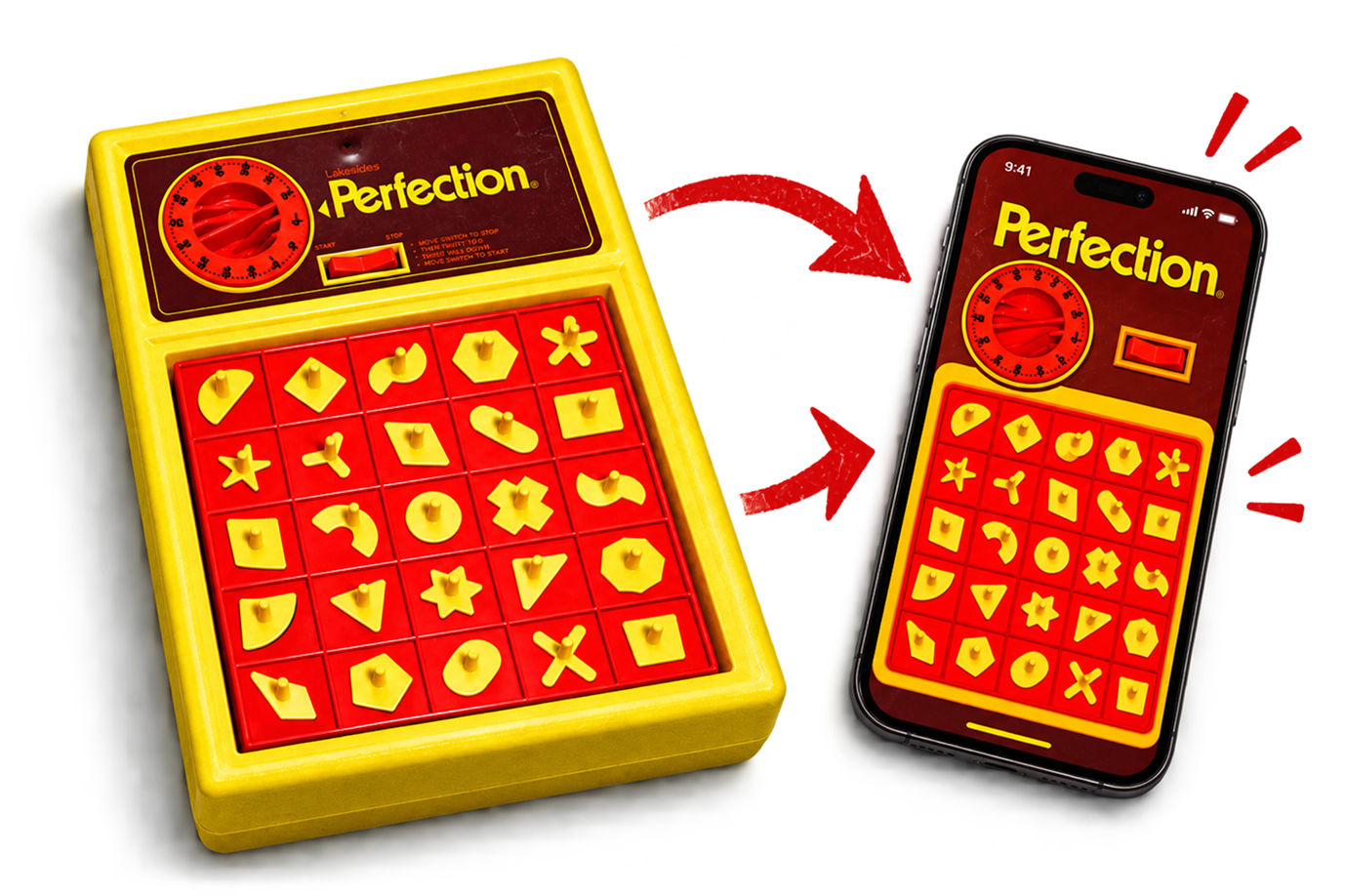
The idea was simple: create a mobile game inspired by the classic game of Perfection. Rather than building a one-to-one recreation, I wanted to capture the excitement, urgency, and nostalgia of the original while creating something that felt entirely its own.
I was also excited by the challenge of building a game from scratch using Claude Code. The idea of taking something from concept to a fully playable experience, entirely on my own, felt like a fun opportunity to experiment, learn, and push myself creatively.
Jumping right in
I started by asking Claude to design the experience, but quickly realized I was more comfortable taking the lead on visual design in Figma. Claude became a valuable creative partner for exploring ideas, refining interactions, and bringing my designs to life.

Designing, building, testing
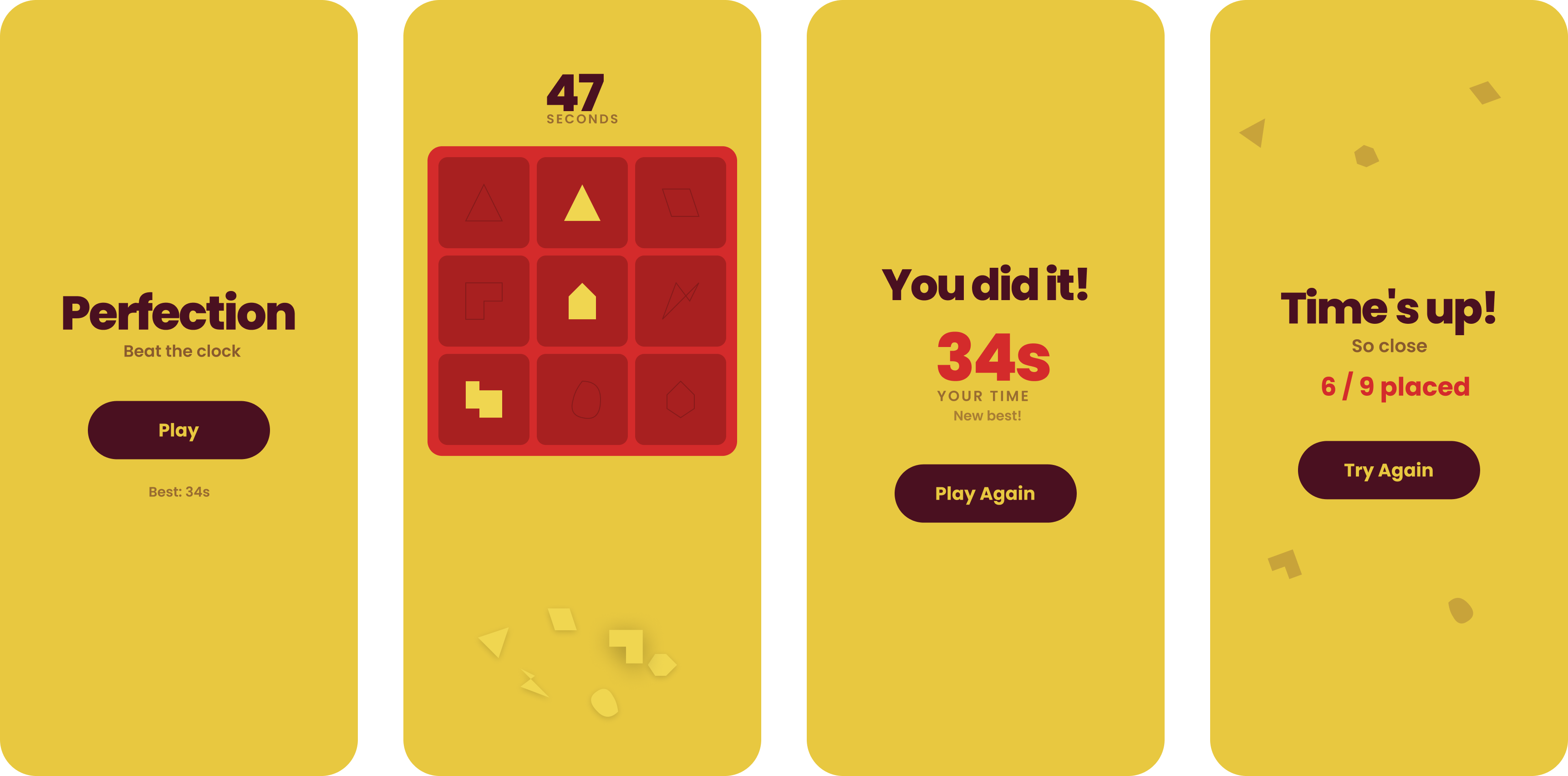
My workflow was an iterative cycle of designing in Figma, bringing those designs to life with Claude, and testing the experience on actual devices through the App Store. Each round of testing revealed opportunities for improvement, sending me back to Figma to refine the experience and repeat the process.
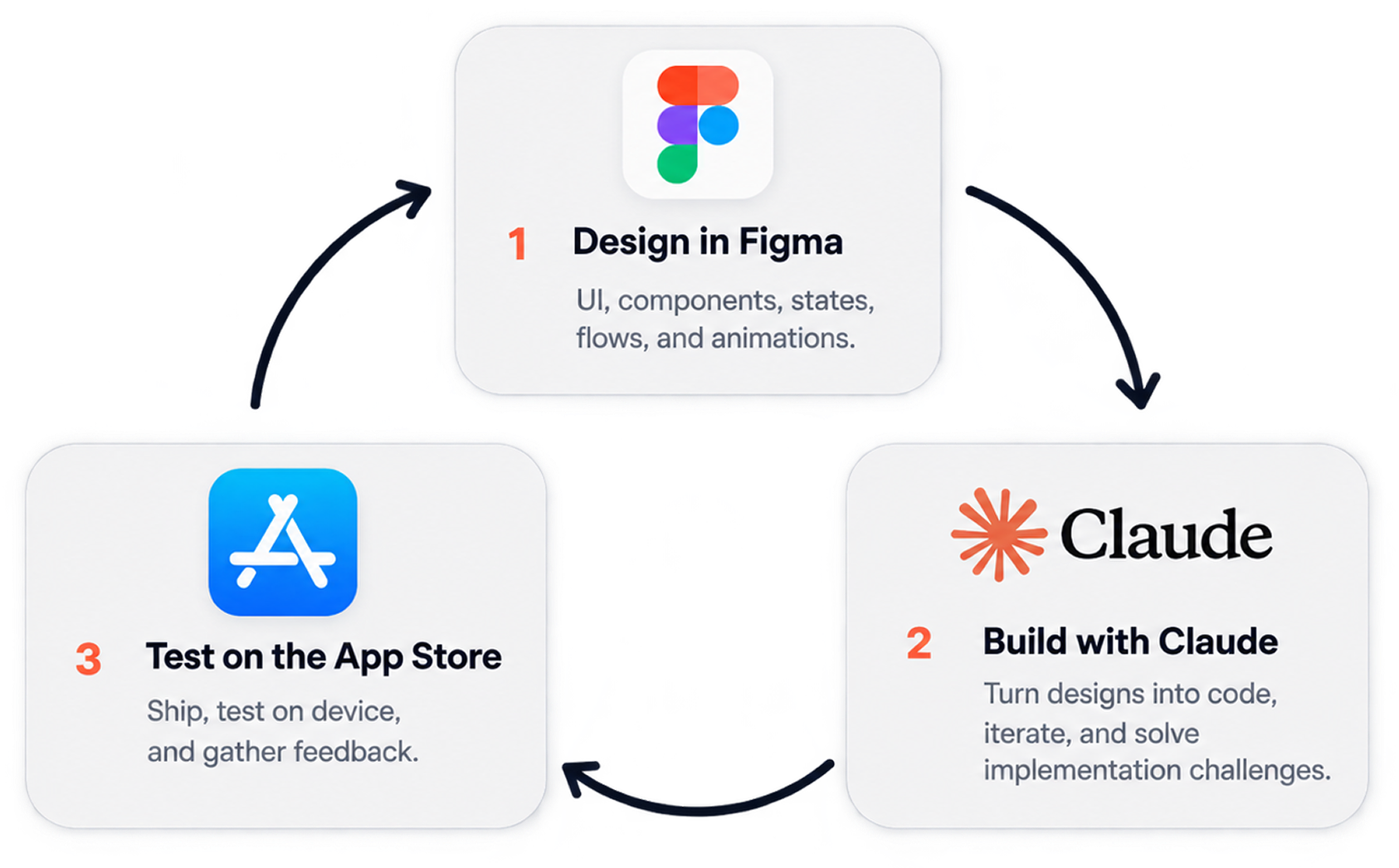
Lots of iterating!
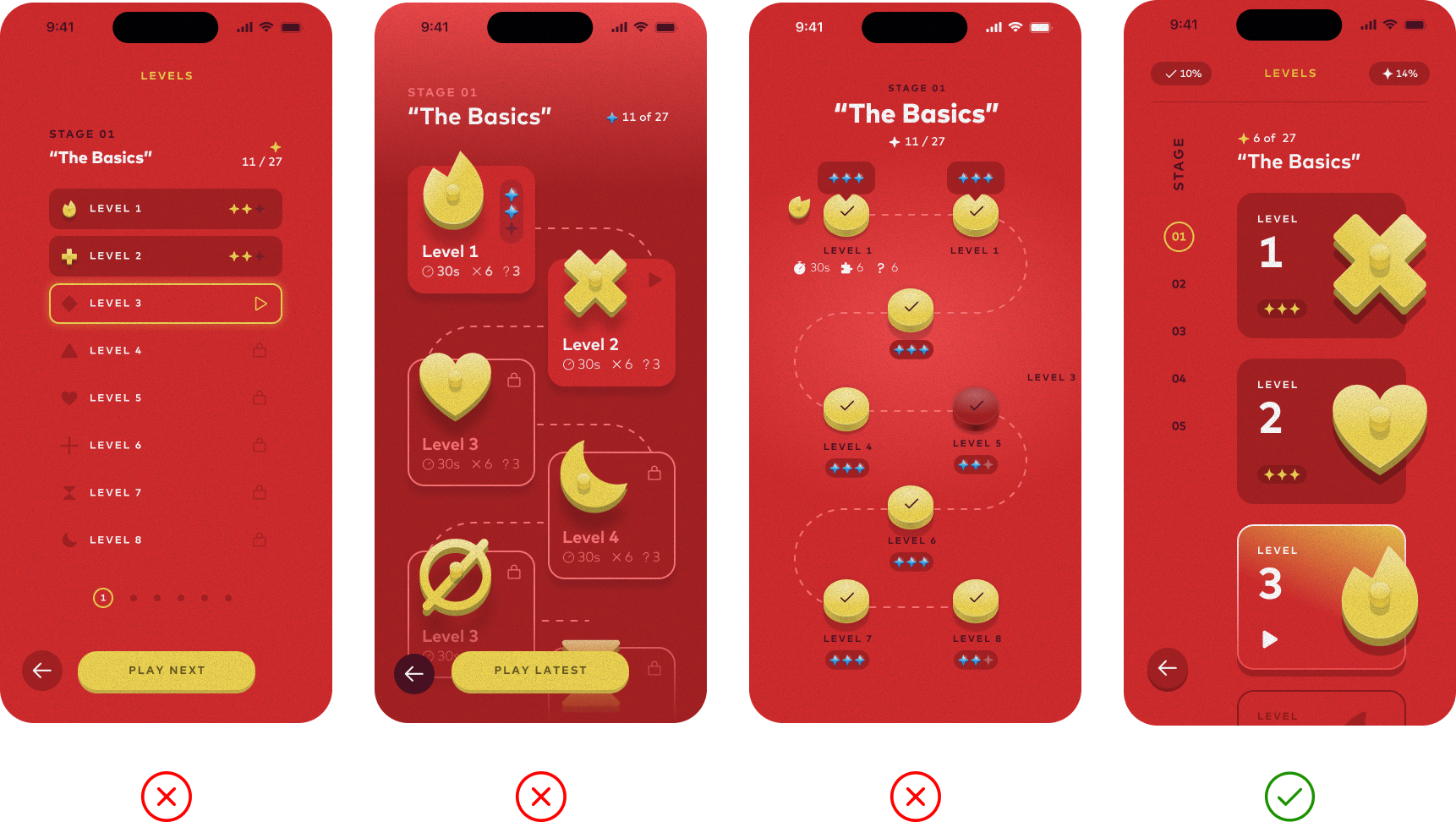
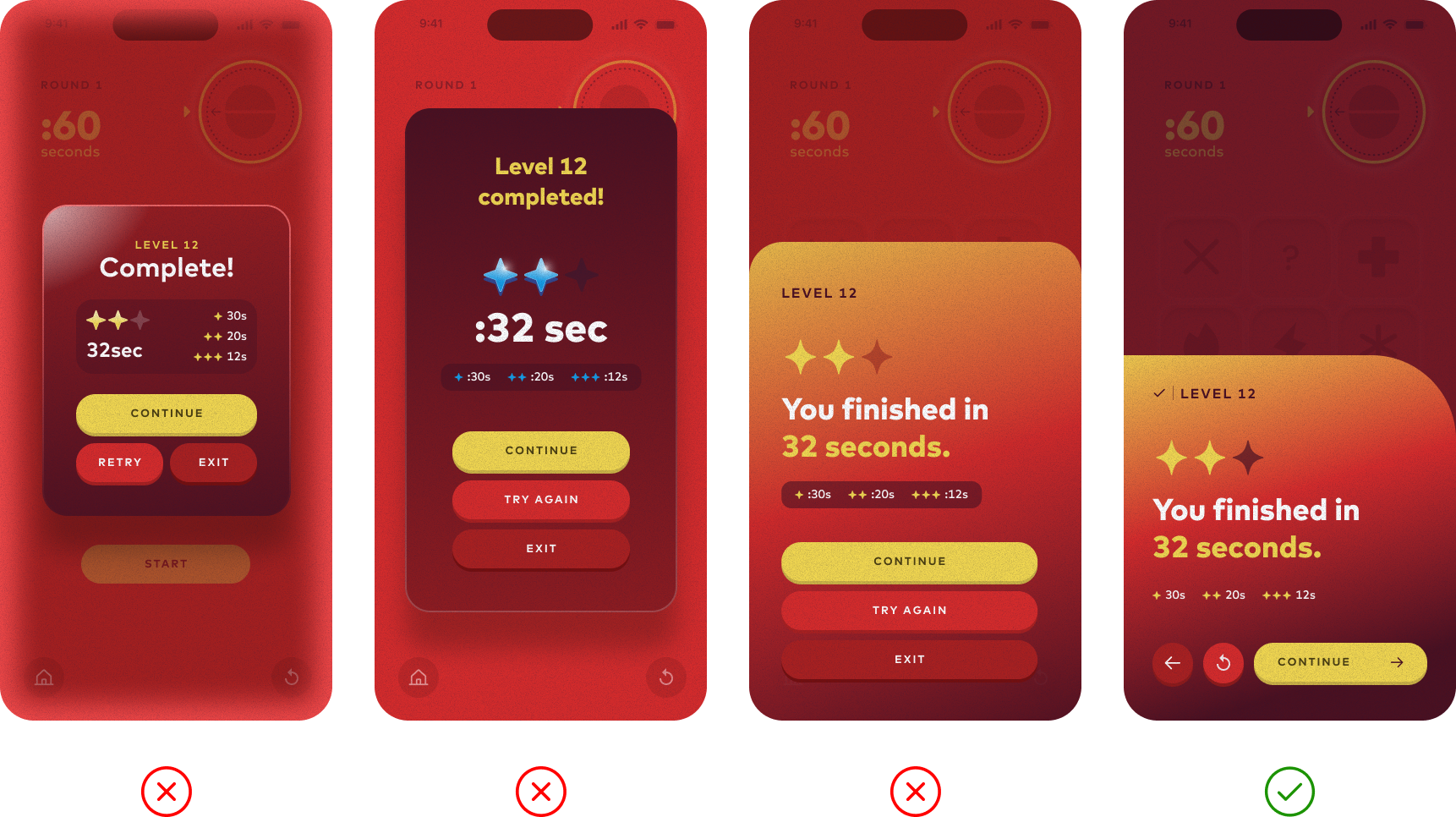
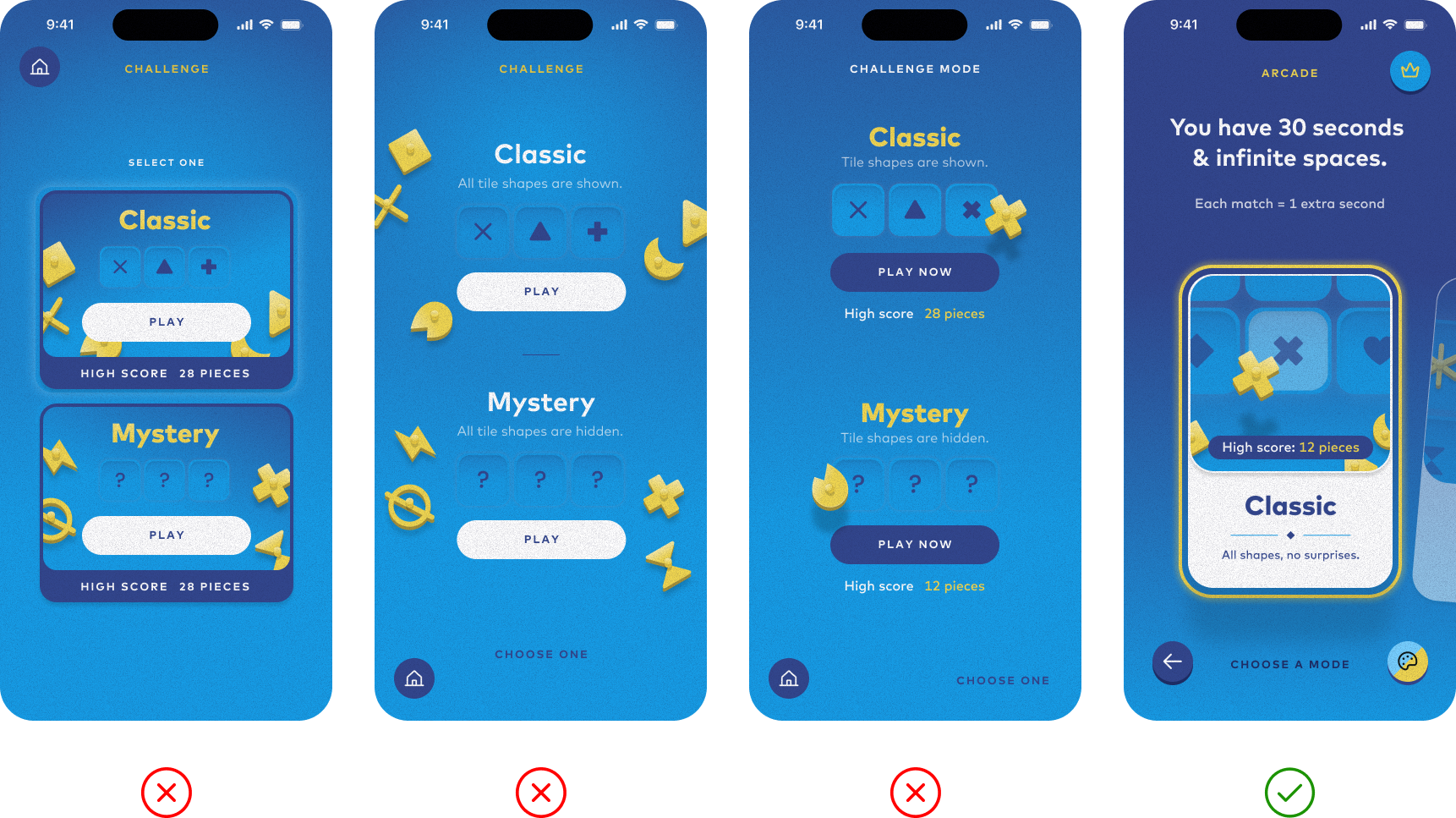
Every screen went through multiple iterations as I explored different layouts, interactions, and visual treatments. I continuously refined the experience, finding ways to make the game more intuitive, engaging, and polished.
Using Claude dramatically accelerated this process, allowing me to quickly bring ideas to life, experiment with variations, and test changes without spending hours on development. This gave me more freedom to explore and focus on the design itself.
Level selection screen
Completion screen
Arcade landing screen
Making it feel like a game
It’s not just about the mechanics - the details make it fun. I iterated on motion, sound, haptics, timing, and visual feedback to create a responsive, satisfying experience.
Smooth place animations and snappy placement.

Particles and effects for progress and completion.

Playful, minimal sound effects and music.

Subtle haptic feedback for key interactions.
Carefully tuned difficulty and time pressure.
What shipped.
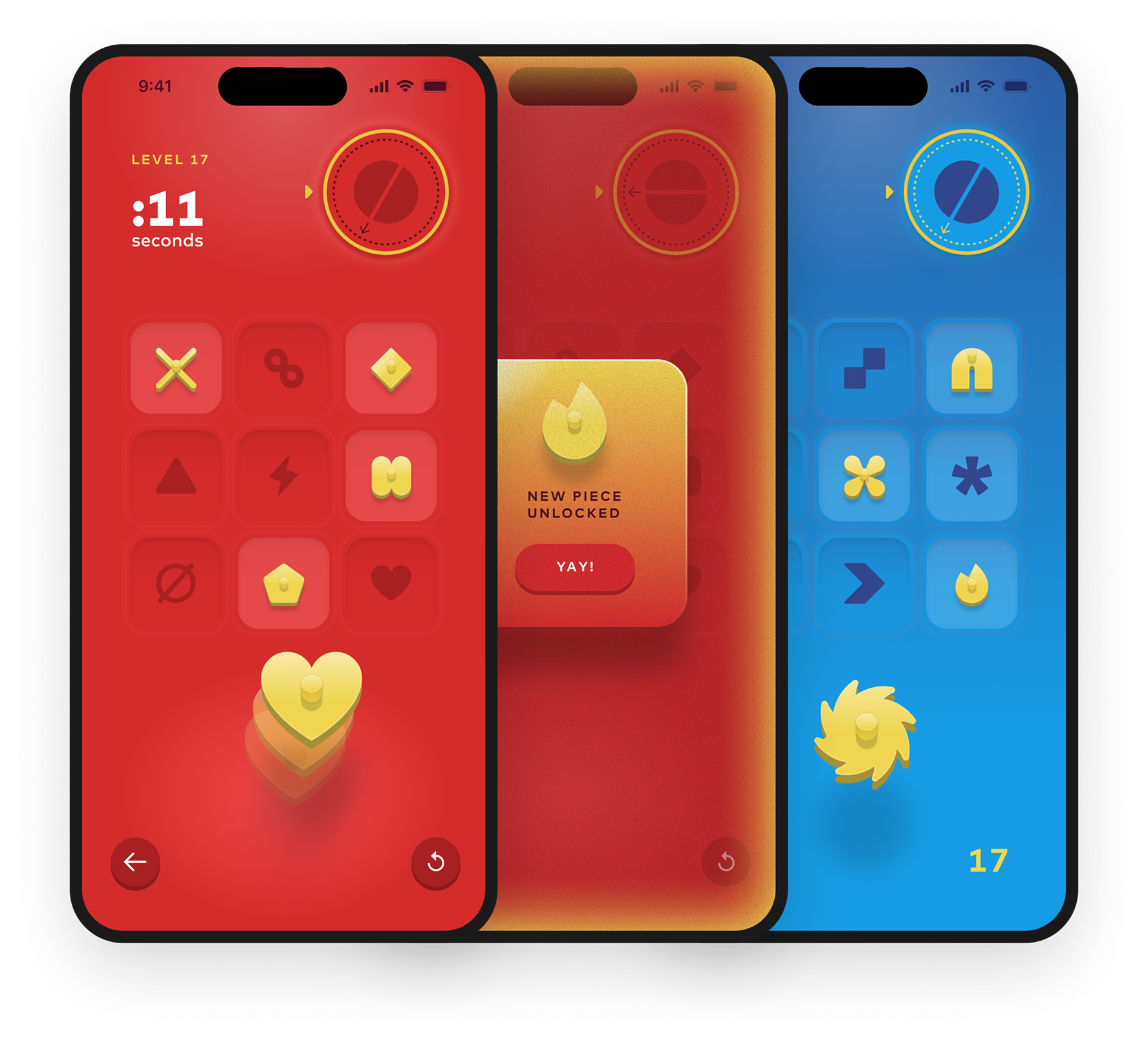
Fast Piece launched on the App Store with 40 handcrafted levels, 40 unlockable pieces, and 3 arcade modes - offering a mix of structured progression and infinite replayability.
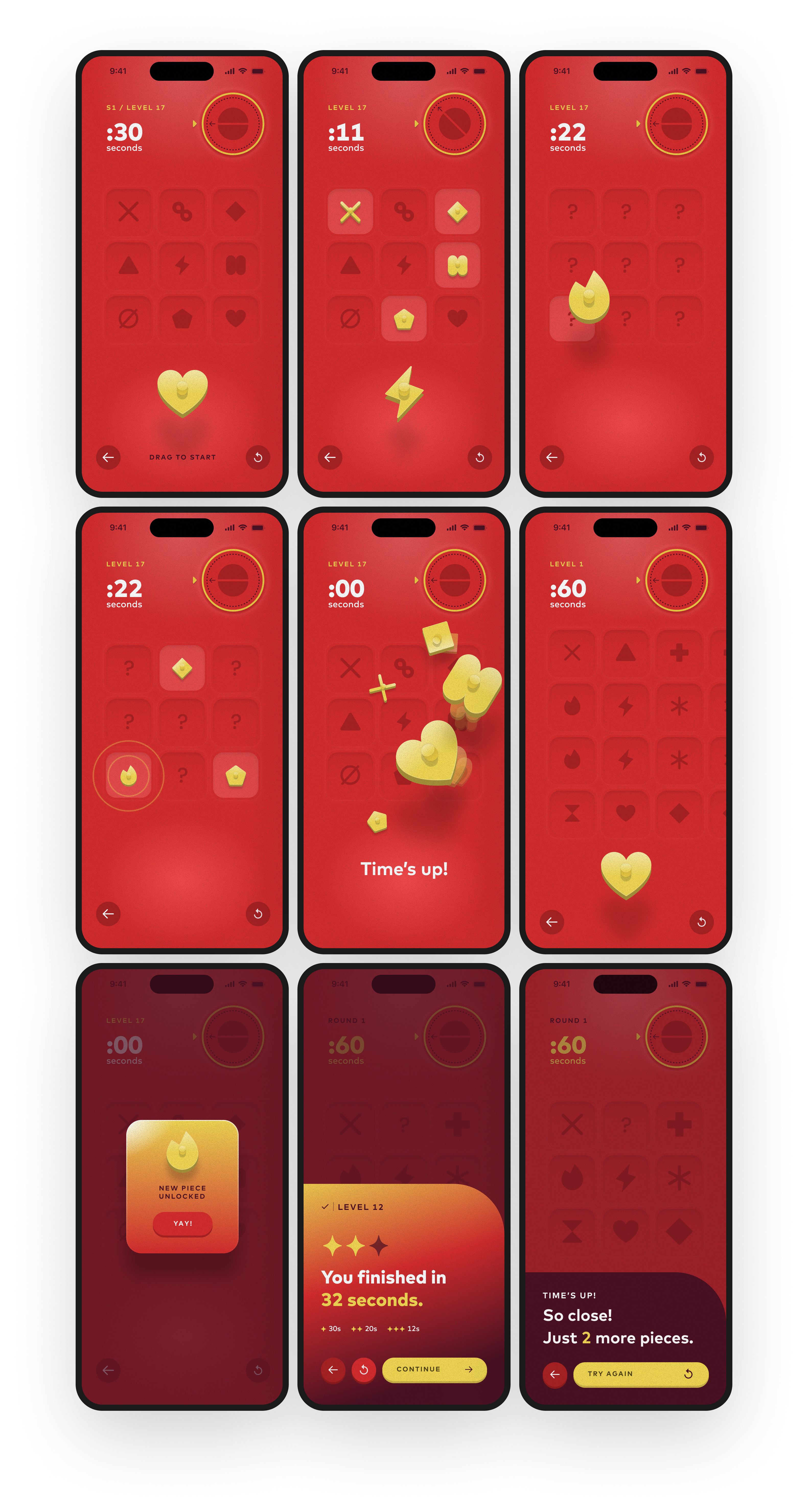
Game screen
I spent a lot of time refining the visual style of the game, experimenting with soft gradients, gritty textures, and subtle lighting to create a look that felt both playful and tactile. I wanted every screen to feel polished and cohesive, so I took my time fine-tuning the colors, shadows, and small details until the experience matched what I had envisioned.
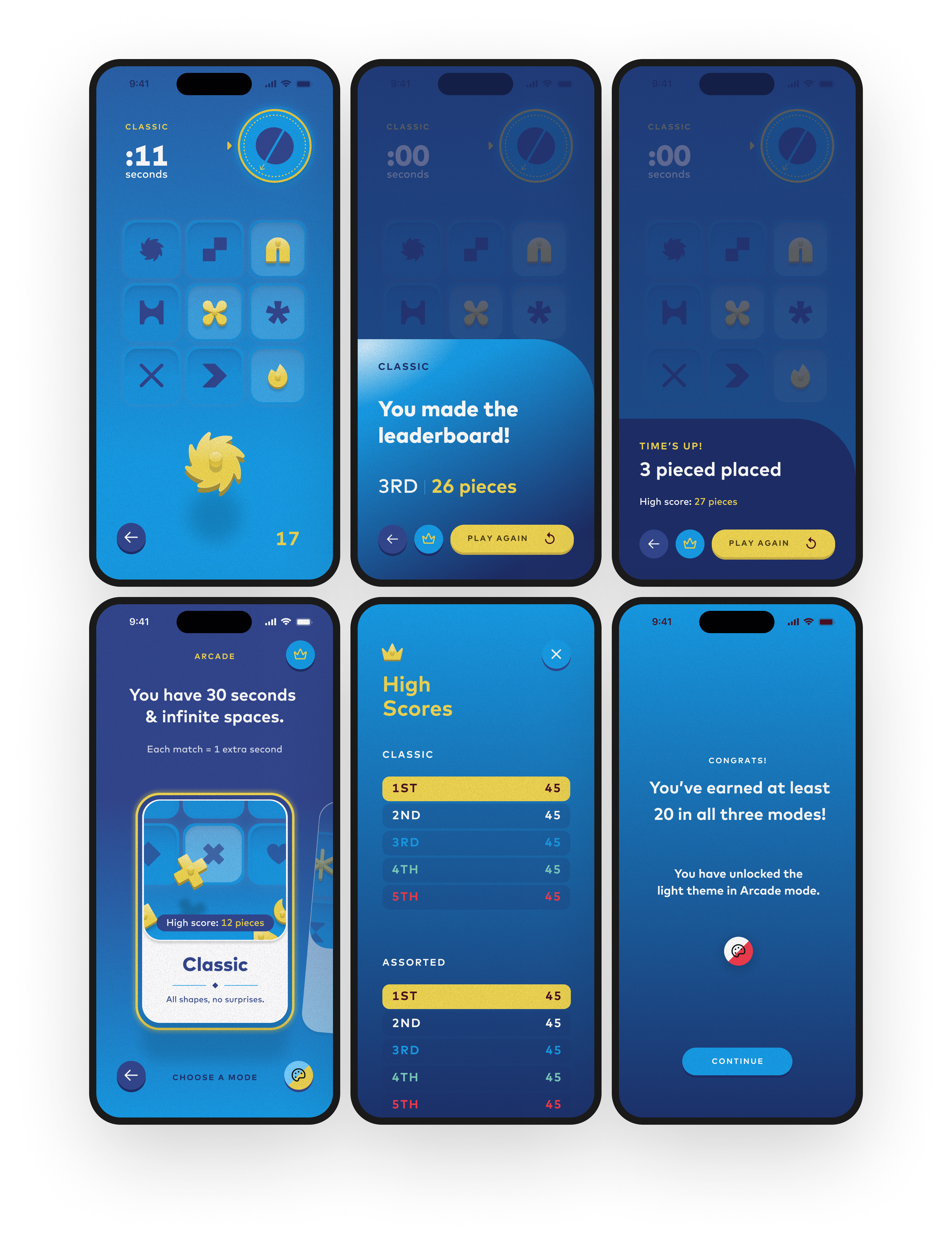
Arcade mode
I wanted Arcade mode to have its own distinct personality while still feeling like part of the same game. I introduced a vibrant blue color palette while carrying over the soft gradients, gritty textures, dimensional game pieces, and subtle lighting. The goal was to make each mode feel unique without sacrificing the cohesive visual identity I had worked so hard to establish.
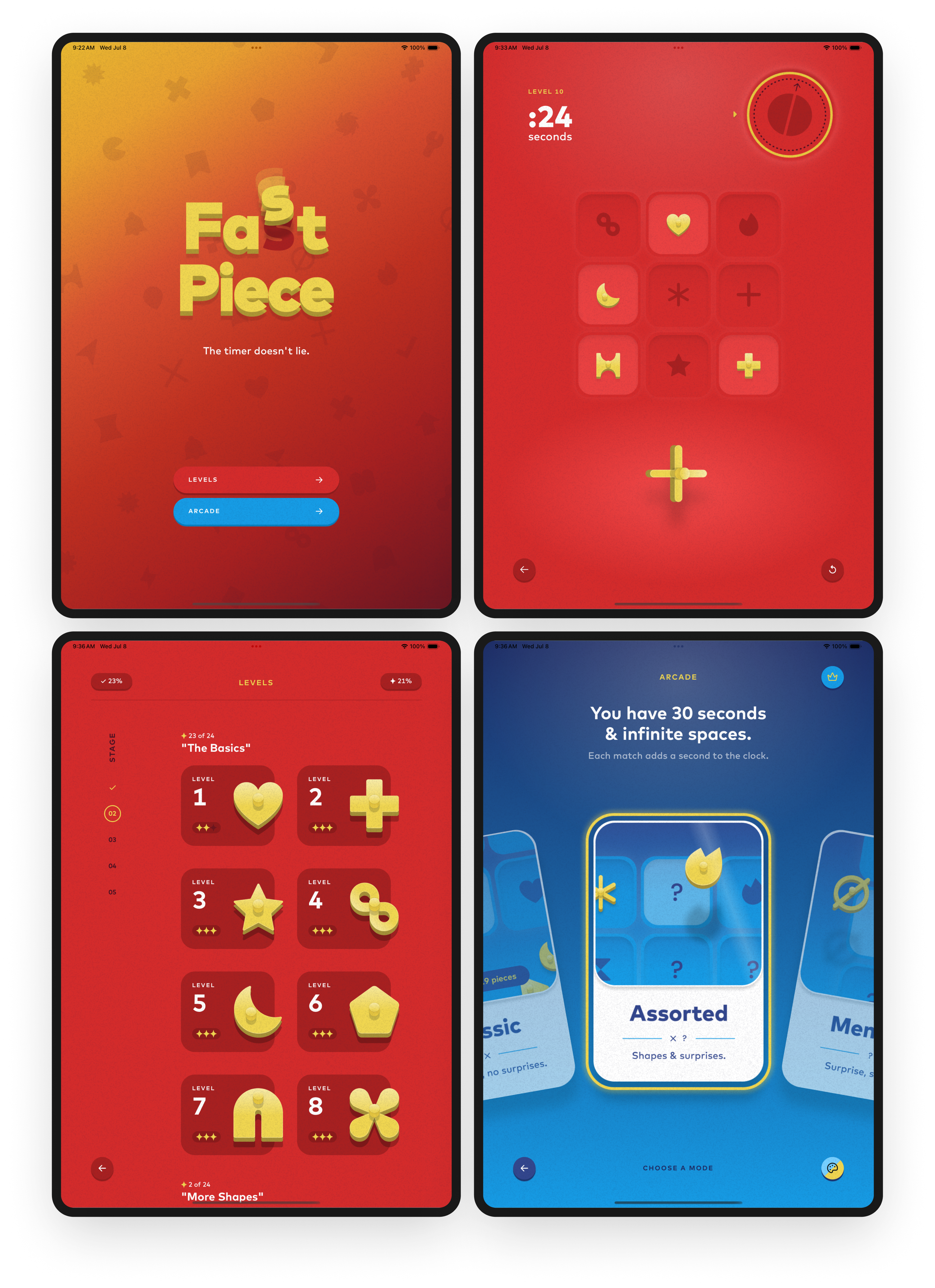
iPad
Adapting Fast Piece for iPad meant rethinking layouts, spacing, and proportions to take advantage of the larger screen. I wanted the experience to feel native to iPad while maintaining the same visual style and attention to detail as the iPhone version.
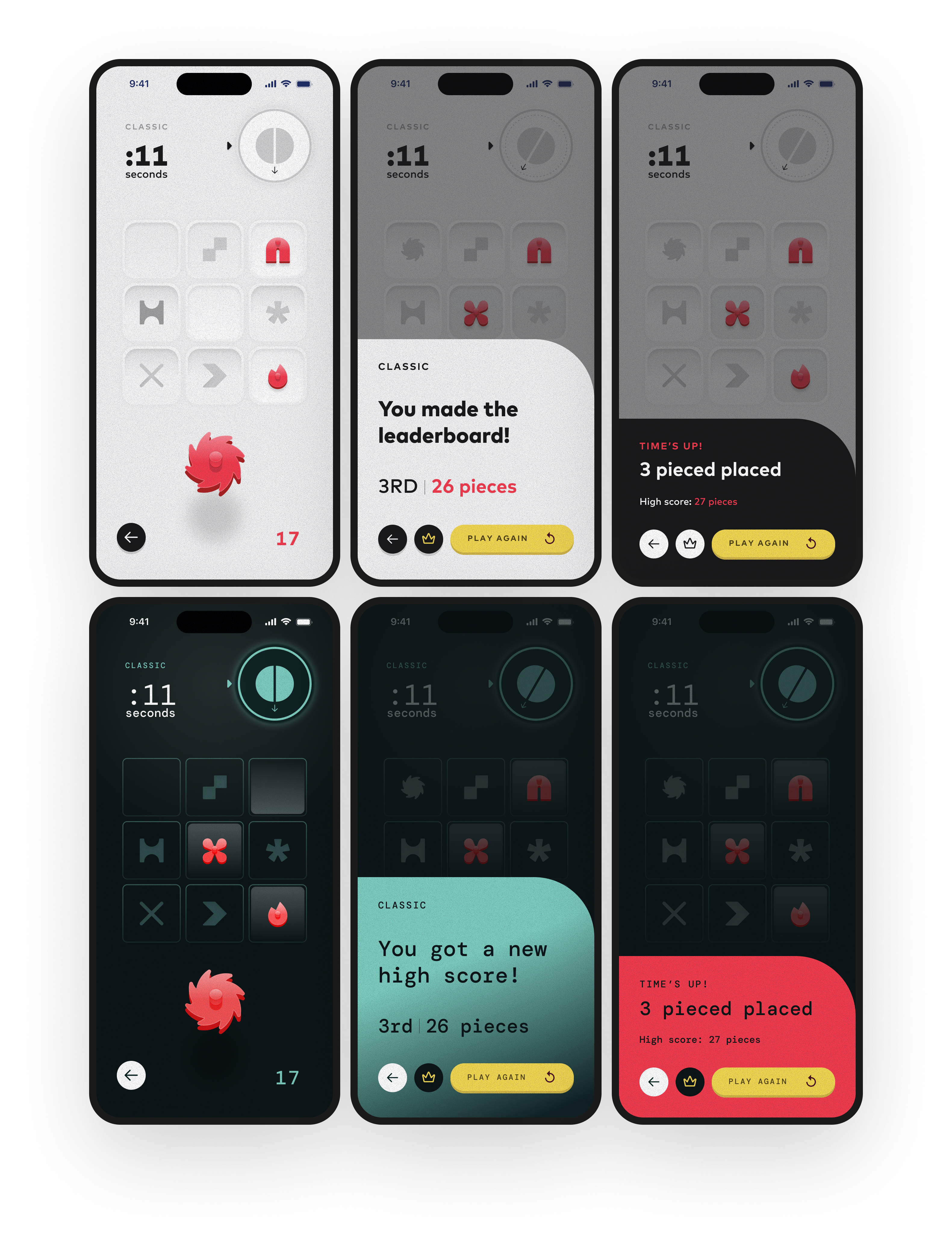
Unlockable themes
I designed two unlockable themes to reward players for progressing through the game.
What I learned.
Building this game taught me how AI and code can accelerate the design process, allowing me to move from ideas to playable experiences faster than ever before. More importantly, it showed me how much goes into turning a concept into a finished product, and how rewarding it is to own every decision along the way.
01
AI shortened the distance between design and implementation.
I could move from idea to playable prototype in hours instead of weeks, which gave me more room to explore, iterate, and take risks.
02
Prototyping in code changed my design decisions.
Playing real builds early helped me make better design choices, faster. The feedback loop was tighter and more honest.
03
Shipping requires hundreds of tiny decisions.
From difficulty curves to sound effects to App Store screenshots - it all matters. Finishing a product is a different skill set, and an incredibly rewarding one.